
Text Messages
How you sign up for Messi Shawarma texts
Messi Shawarma Inc. (Brampton, Ontario) sends two kinds of text messages, only to customers who ask for them in the Messi Shawarma app (iPhone, Android) and the same app on the web. We never send marketing or promotional texts, and ordering never requires texts.
Message and data rates may apply. Reply STOP to opt out, or HELP for help. Help is also at support@messishawarma.com. See our Terms and Privacy Policy.
1. Order updates (you tick a box in your cart)
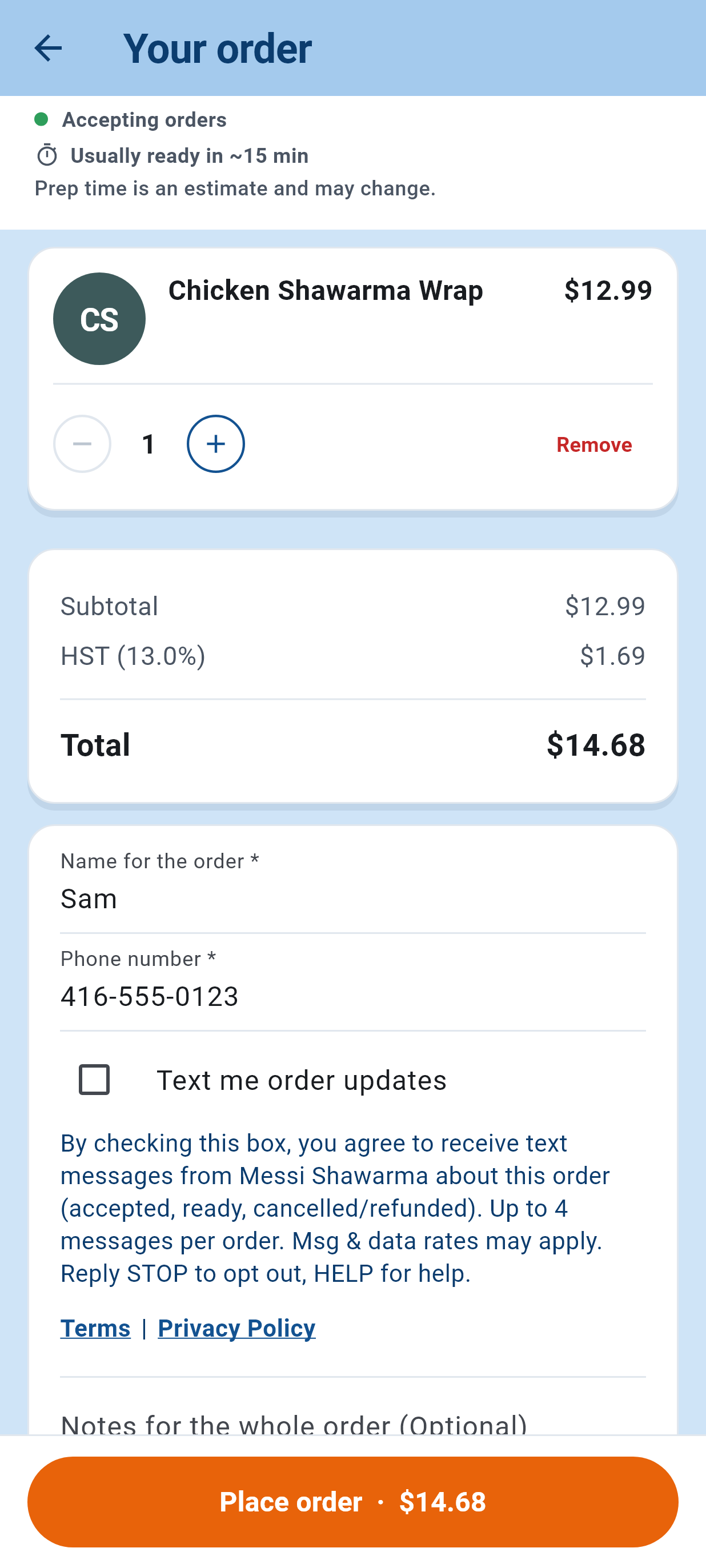
In the cart, under your name and phone number, there is a box "Text me order updates". It is never ticked for you: you tick it yourself, for that order. Right under the box, the app shows:
By checking this box, you agree to receive text messages from Messi Shawarma about this order (accepted, ready, cancelled/refunded). Up to 4 messages per order. Msg & data rates may apply. Reply STOP to opt out, HELP for help. Terms | Privacy Policy
If you leave the box unticked, your order goes through exactly the same, with no texts.
2. One-time codes (you tap "Text me a code")
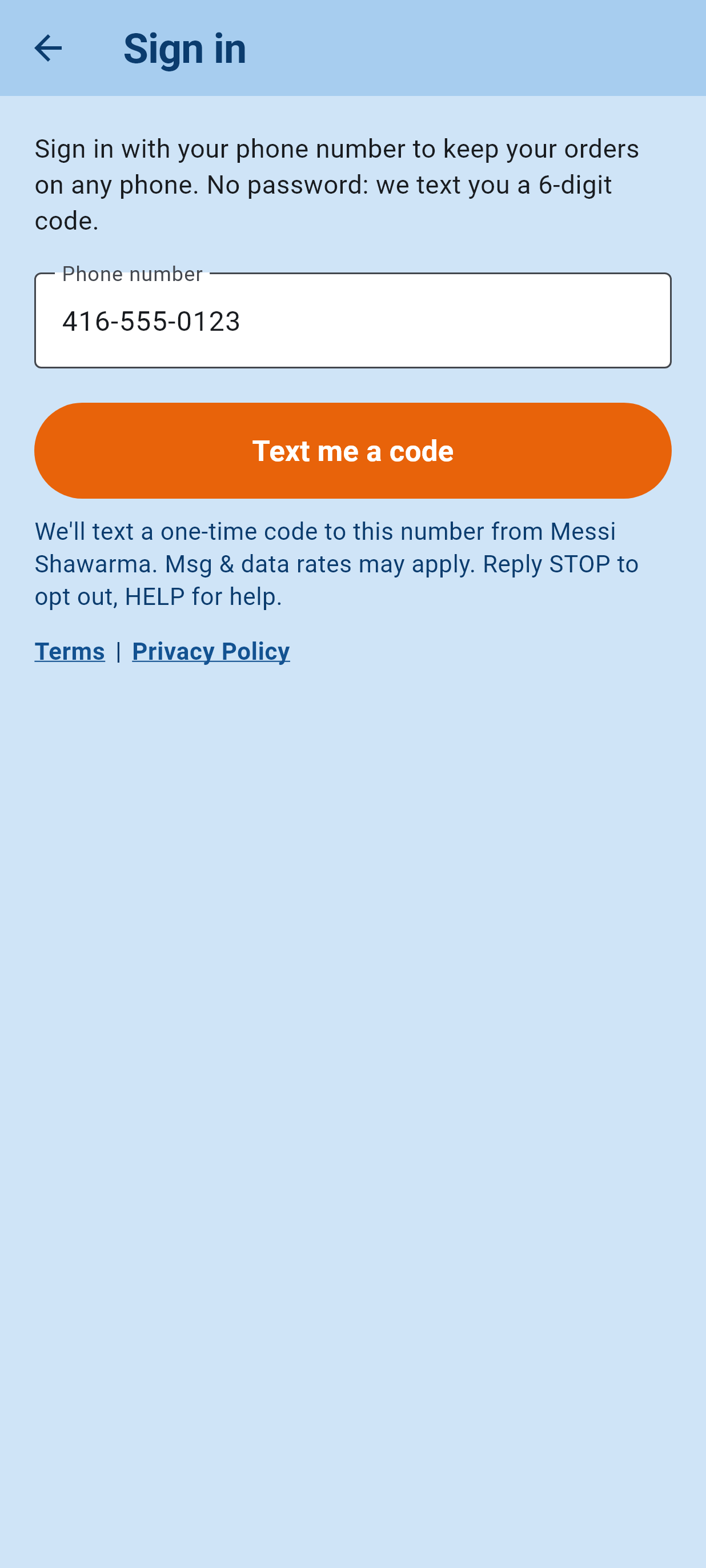
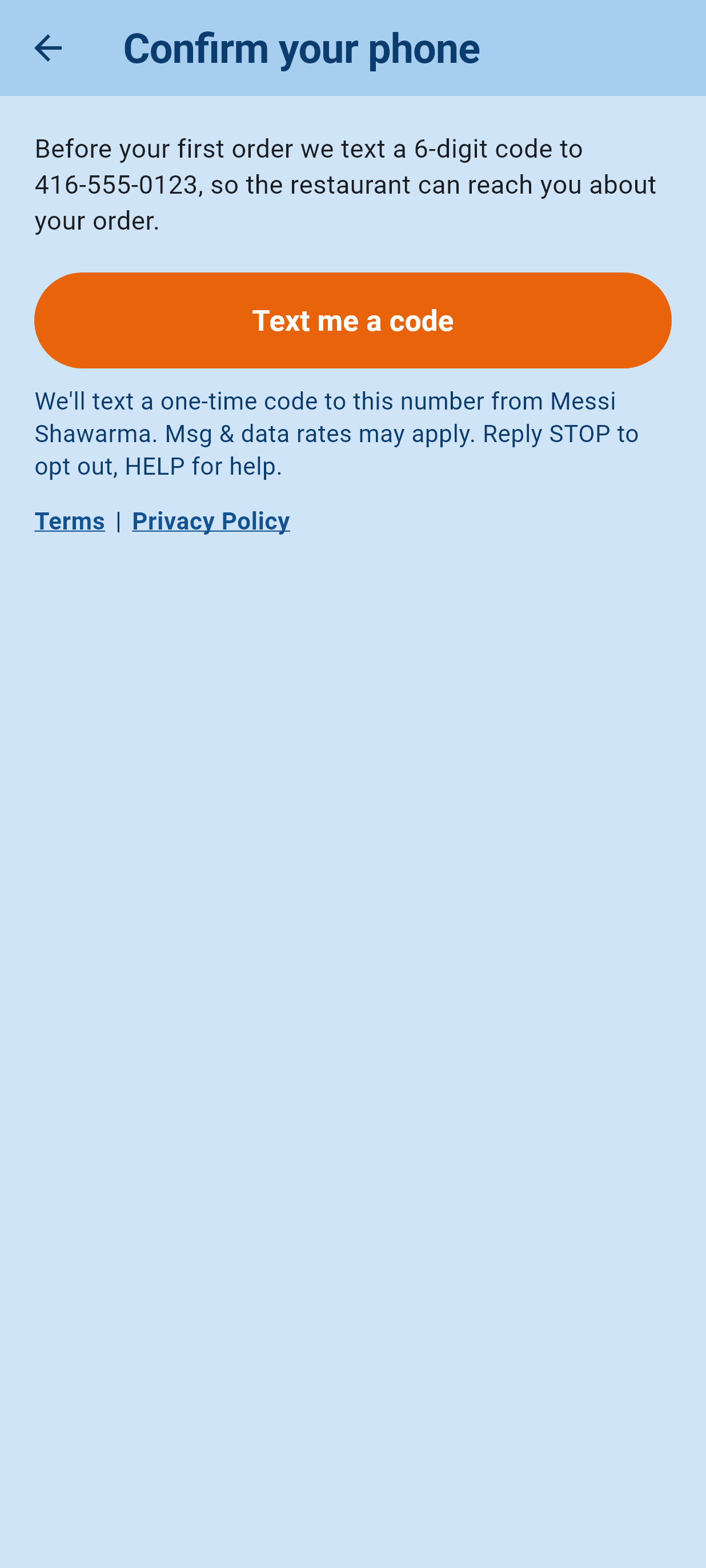
To sign in with your phone number, or to confirm your phone number before your first order, you type your number and tap "Text me a code". Right under that button, the app shows:
We'll text a one-time code to this number from Messi Shawarma. Msg & data rates may apply. Reply STOP to opt out, HELP for help. Terms | Privacy Policy
One code is sent per request. Nothing else is sent unless you also tick "Text me order updates".
3. The messages
- Messi Shawarma: your code is 123456. It expires in 5 minutes. Don't share it.
- Messi Shawarma: Order #512 accepted. Ready in about 20 min. Reply STOP to opt out.
- Messi Shawarma: Your order #512 is ready for pickup. Reply STOP to opt out.
- Messi Shawarma: Order #512 was cancelled and refunded. Reply STOP to opt out.
- Messi Shawarma: $4.00 was refunded to your card for order #512. Reply STOP to opt out.
How often: one code per sign-in request; up to 4 messages per order.
4. Stopping texts
Reply STOP to any of our texts and we will send no more to that number (reply START to get them again). Reply HELP for help. Carriers are not liable for delayed or undelivered messages.
We do not sell, rent or share your phone number or text message opt-in data and consent with any third parties for marketing purposes.